
IT/OT Asset & Data Inventory Management
Cetbix Data Inventory - Intelligence Approach
Why Cetbix IT/OT Inventory
With a complete 360° view of your data sources, an accurate prioritization analysis can be performed.
Departments may have kept their data silos in the form of Excel files or Access databases, which pose additional challenges when it comes to integrating that data into a data mart or data warehouse. Only when you have a complete 360° data inventory can you accurately assess your BI roadmap and implementation strategies.
Where do I start?
Inventorizing organization assets using the Cetbix AI enhance comprehensive internal interviews.
The Cetbix AI provides an appropriate set of procedures for information labeling by following the information classification scheme adopted by the organization. This procedure covers information and its related assets in physical and electronic formats.
Processing activities internally
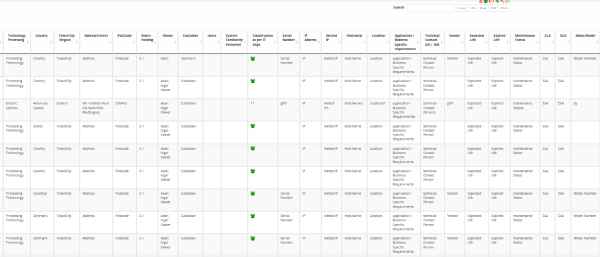
As a CISO, CIO, or Security Manager, you are to maintain a record of all your organization’s processing activities internally and to make them available to supervisory authorities upon request.
Traditional Data Inventories
Cetbix Asset Classification covers both personal data and general data. Organizations are overwhelmed with a lot of information. Addressing these challenges manually or repository by repository is time-consuming and error-prone. There is a better way – and it starts with a data inventory.
Advantage of Cetbix Inventory
Cetbix inventory enables organizations to create a data inventory for the prioritization of efforts, resources, and assessing risks.

Benefit 1
The process of setting up a data inventory with Cetbix is quite simple.
- Repository: The name of the system that contains the information (include details such as description, owner, location, access)
- Type of data: This includes details such as description and whether or not it contains personal information.
- Personal Information ID: PI Description (include a description of the personal information, PI Reason, and PI Policy).
- Information Confidentiality Classification Scheme: Information are classified in terms of legal requirements. value, criticality, and sensitivity to unauthorized disclosure or modification.
- Handling of Assets: Procedures drawn up for handling processing, storing and communicating information consistent with its classification.
- Sensitivity Level: Classifying data as to sensitivity to assure that proper security protection is in place appropriate with the given data set.
- Retention Period: Consistent with records management practices, ensuring the period in which data is to be retained, to assure that data's availability and integrity for that retention period.
- Data Utilization: Establishing appropriate procedures for how data is utilized. This includes access restrictions, proper handling, logging, and auditing.
- Data Back-up: Assessing how back-up copies of data and software are created.
- Management of Storage Media: Processes to ensure proper management of storage media, including restrictions of types of media, audit trails for movement of media, secure disposal of media no longer in use, and redundant storage.
- Electronic Data Transfers
- Disposal of Media
- Risk Register
- Confidentiality level
- Methodolgy of Risk level of acceptance (default of customized)
- Digital risk acceptance
- Manual risk acceptance
- Set Controls
- Match Assets
- Asset Mapping
- Quantitative Risk Assessment
- Qualitative Risk Assessment
- Single Asset evaluation
- Assign single or multiple assets
- Risk Register
- .....etc